
The best Bible apps for special needs kids in 2026
By Sankalp Jonna · Last reviewed 2026-05 · 7 apps reviewed
Bible apps for special needs kids are kids Bible products that adapt across a wide range of differences: sensory processing, attention regulation, motor and coordination challenges, dyslexia and reading delay, hearing differences, and cognitive delay. There is no app on either store that is actually built for this umbrella audience. Every app we tested is a general kids Bible app that some special needs families have learned to use, or have learned to work around.
Parents searching for a Bible app for special needs kids are usually not looking for a single diagnosis-specific product. They are looking for an app that flexes: audio that works with the screen off, a UI a child with motor challenges can use without precise taps, narration slow enough for a child still learning to track words, and a sensory profile calm enough not to spike a kid who is already at the edge of regulation. Most of the better-rated kids Bible apps were never designed with any of that in mind. A few of them, almost by accident, do the job anyway.
We installed each of the apps below on a real iPad and a real Android phone in 2026 and used them across multiple sessions, looking specifically for four proxy properties that tend to matter across the special needs umbrella: adaptability across multiple needs, audio-first or audio-only delivery, cognitive load of the UI, and predictability of the experience from one session to the next. This page is part of our wider review of the Bible App for Kids category, and sits alongside narrower picks for autism, ADHD, and dyslexia. If your child fits cleanly into one of those, start there. If they do not, this is the broader umbrella view.
How we tested
Every app here was installed and used personally. We capture raw findings (typed notes, screenshots, screen recordings, voice memos) and the writing is AI-assisted from those raw notes. Scores, rankings, and "best for / skip if" calls reflect our actual experience with each app. Read the full methodology →
How we evaluated apps for Special Needs
Every app on this list was scored against the same 4 criteria. Hands-on testing, AI-assisted writing.
Adaptability across multiple needs
We rated each app on how many points along the special needs umbrella it can serve at once. An app that helps a sensory-sensitive child but locks out a child with motor challenges scored lower than an app that flexes across both. The highest scores went to apps whose default mode of use already works for multiple categories without parent reconfiguration.
Audio-first or audio-only delivery
Audio-first design is the single most common accommodation across the special needs umbrella: it serves dyslexia, visual processing differences, sensory overload, and kids who simply learn better through listening. We rated apps higher when audio can carry the experience with the screen off, and penalized apps where you cannot follow the story without watching the animation.
Cognitive load of the UI
How much does the app expect the user (or the parent helping the user) to track at once? We counted the number of menus, the number of taps from launch to story, the visual noise on the screen during a story, and the volume of decoration around the actual content. Apps with low cognitive load (large hit targets, predictable layouts, minimal decoration during stories) scored highest.
Predictability and routine support
Many kids on the special needs umbrella rely heavily on routine. We rated each app on whether the experience is the same from one session to the next: consistent narrator voice, predictable transitions, no surprise stimulation (sudden sound effects, scene cuts, popups), and the ability to repeat the same story without the app re-shuffling content or pushing the kid forward.
Comparison at a glance
The full ranked list with our score, real-user ratings, pricing, and the buyer profile each app fits.
| # | App | Score | Users | Pricing | Best for |
|---|---|---|---|---|---|
| 1 | Bible Stories For Kids! | 7.4/10 | 4.5(147) | From $5.99/mo Know more → | Special needs families who want one app that flexes across sensory, attention, and reading differences: screen-off audio, 10-minute episodes, consistent pacing, and a printable activity sheet for kids who need to move while they listen. |
| 2 | Bible for Kids: Bedtime Stories | 7.2/10 | 4.6(1.7K) | From $4.99 one-time Know more → | Routine-driven households on iPhone or iPad where a predictable screen-off audio session with a real 15 / 30 / 60 minute sleep timer is the regulation tool, and a one-time $4.99 purchase keeps the household subscription load light. |
| 3 | Bible App for Kids | 8.9/10 | 4.7(9K) | Free | Families who want a free, no-signup, no-ads first install: a random tap from a child with motor challenges still triggers something gentle and on-story, and the audio narration carries the page if you turn the screen off. |
| 4 | Theo: Prayer & Meditation | 7.6/10 | 4.5(3.4K) | From $14.99/mo Know more → | Families building a calm, audio-only 9-minute daily routine where the lack of animation is the feature, not a bug. Bilingual Spanish-English households and Catholic families also get first-class content here. |
| 5 | Bible Stories for the Young | 6.7/10 | 4.8(237) | Free | Families who want a free, ad-free narrated Bible video app with an explicit audio-only playback toggle, useful when the screen is too much stimulation but a paid app is not the right fit for the household. |
| 6 | Bible Kids | 6.9/10 | 4.8(15) | Free | Households that want a free, ad-free animated alternative to Life.Church's library, with modern animation that is generally calmer than older cartoon styles. Cross-platform on iOS and Android. |
| 7 | SunScool - Bible for Kids | 7.0/10 | 4.8(684) | Free | Sunday school teachers and homeschool parents working with special needs kids who benefit from a deep, lesson-grid library (600+ lessons) and multilingual interface support across 22 languages. |
How they ranked
The 7-app shortlist, ordered by how well each one fits the audience this page is written for.
Bible Stories For Kids!
Screen-free audio Bible stories with printable activities — 10-minute episodes for ages 3-10.
- Our score
- 7.4/10
- Platforms
- iOS, Android
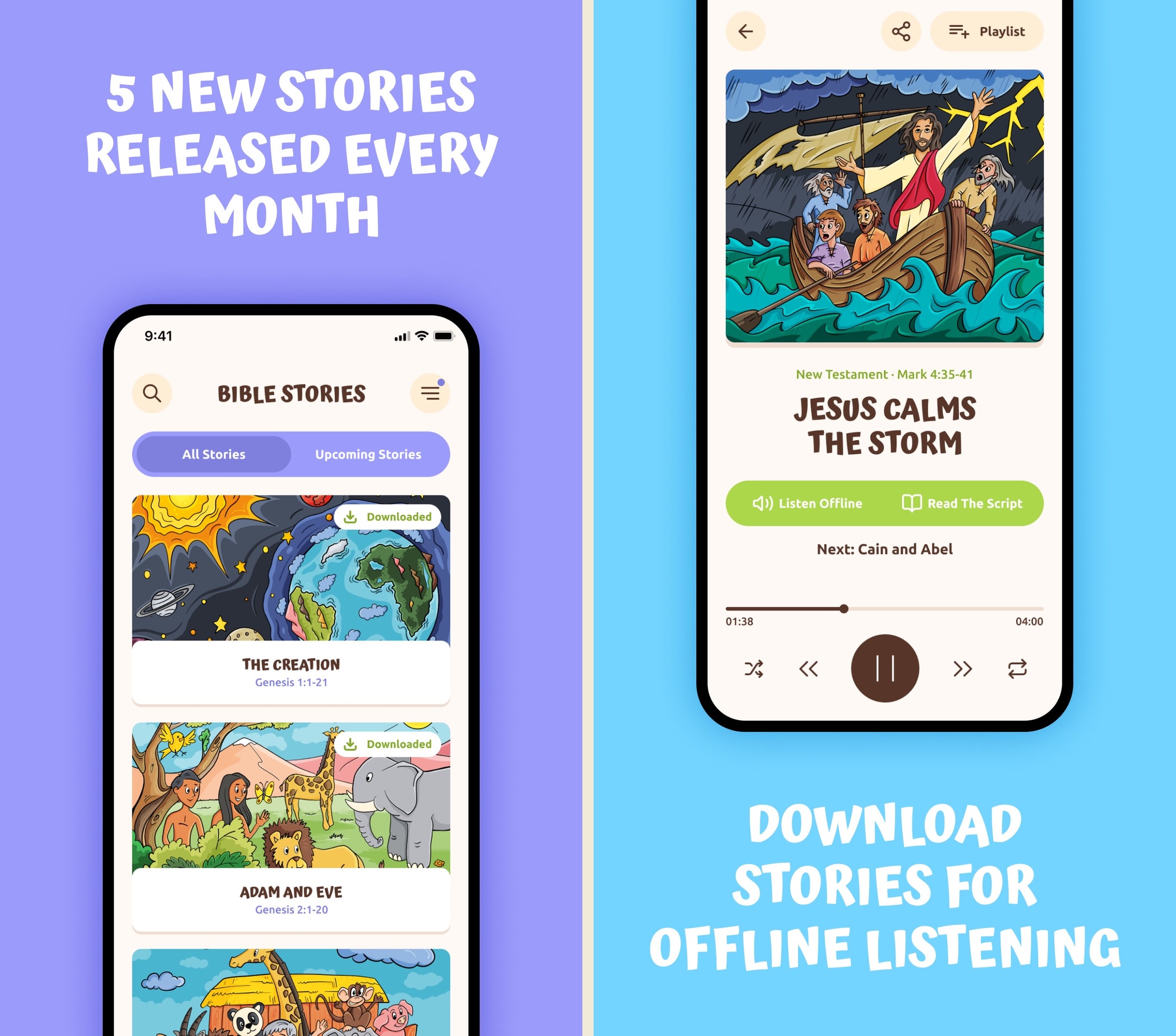
This is the cleanest audio-first Bible app on the market right now, and the monthly release cadence is real. The 10-minute episode length is exactly right for the use case it is going after. The honest gap is everything around the audio — no progress tracking, no scripture, no dashboard. If you trust your kid to listen and the printables are enough activity for you, this is a solid pick. If you want any structure beyond hitting play, it is not enough.
What we like
- Genuinely screen-free — audio-first design means kids can listen with the screen off
- 10-minute episode length is perfectly calibrated for car rides and pre-nap windows
- 5 new stories per month is the most consistent content cadence in the category
- Printable color-along sheets and word searches give parents a tangible offline extension
- Spanish version added in 2024 broadens the family audience
What to know
- No video, no animation, no visuals at all — kids who expect a screen will bounce
- No scripture text view or translation toggle
- No quizzes, dashboard, or memory verse drill — passive listening only
- Solo developer / small team means stability and content quality can vary
- Free tier is thin enough that the paid path is essentially required
Best for
Special needs families who want one app that flexes across sensory, attention, and reading differences: screen-off audio, 10-minute episodes, consistent pacing, and a printable activity sheet for kids who need to move while they listen.
Skip if
Your child needs a visual companion to stay engaged with a story, or you want parent-dashboard visibility into what your kid actually finished.
Double charging me
My family and I do love the app. No complaints there! But the app keeps charging me twice a month. I just saw my statements. I've canceled our subscription until I can talk to them and see about being refunded.
— Christidawn23 · February 24, 2025
Bible for Kids: Bedtime Stories
Offline professional-narration audiobook with a sleep timer for ages 3 and up.
- Our score
- 7.2/10
- Platforms
- iOS
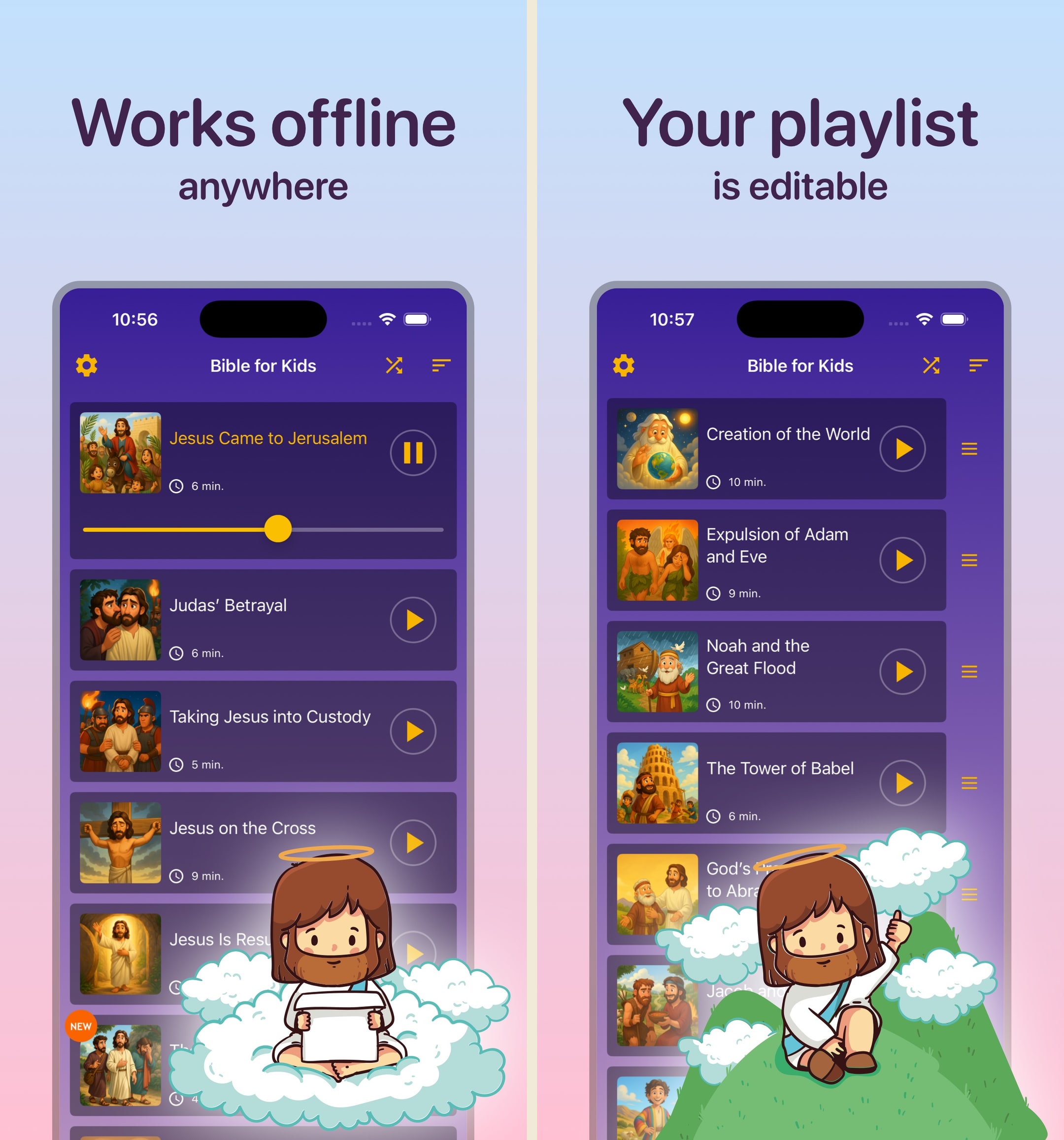
Quietly one of the better-rated apps in the category, and the $4.99 one-time model is a refreshing break from the subscription stampede. The sleep timer alone justifies the price for bedtime parents. The risk is operational — this is a small operation, and the depth of stories is modest. Buy it if bedtime audio is the specific need; do not expect it to be your kid's all-day Bible app.
What we like
- $4.99 one-time unlock is the cheapest paid path of any kids Bible app reviewed
- Sleep timer (15/30/60 min) is genuinely built for bedtime, not bolted on
- Active update cadence — recent additions include Paul's missionary journeys
- 4.6 star rating across 1,700+ ratings reflects real parent satisfaction
- Offline playback works on flights, road trips, and rural Wi-Fi
What to know
- iOS-only with no Android plan
- Solo developer means support and longevity are uncertain
- No visual companion — pure audio with a static screen
- Limited free tier essentially requires the $4.99 unlock to get useful content
- No scripture, no dashboard, no profiles, no quizzes — only audio
Best for
Routine-driven households on iPhone or iPad where a predictable screen-off audio session with a real 15 / 30 / 60 minute sleep timer is the regulation tool, and a one-time $4.99 purchase keeps the household subscription load light.
Skip if
You are on Android, your child needs a visual companion, or you want a growing library with frequent content updates.
Better than I thought and finally updated after 4 years!! God is good
A good alternative from the bedtime stories that have a different agenda other than to build up your children in the way they should go. The other “kid” bedtime stories carry a hidden LGBTQ agenda that sneaks in, this is not that. It is truth told in a way that is calming. It would be great if the app producer could have the good news gospel stories, and some psalms and proverbs. I hope you do that next!!
— Awsome man27235 · April 8, 2024
Bible App for Kids
The dominant free animated kids Bible app, built by Life.Church and OneHope.
- Our score
- 8.9/10
- Pricing
- Free
- Platforms
- iOS, Android, Kindle Fire
This is the gravitational center of the kids Bible app market — 100M+ installs and the only zero-cost option from a serious publisher. The animations and narration still hold up after a decade, and the no-ads pledge is non-trivial in a category full of dark patterns. The honest gap is that it stopped growing: the same 41 stories have been there for years, there is no real scripture view, and parents who want to track what their kid actually heard or read get nothing. It is the app you install first, not the app you stay with through grade school.
What we like
- 100M+ installs worldwide as of April 2023, making it the most-trusted kids Bible app on either store
- Completely free with zero ads and zero in-app purchases — rare in the kids app category
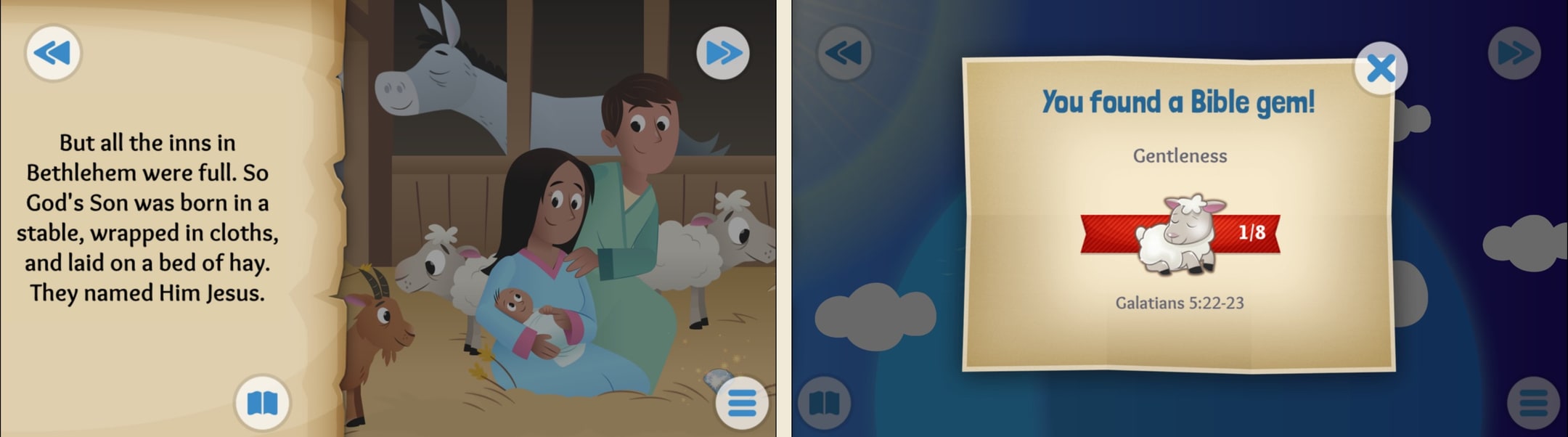
- 41 polished animated stories with professional voice acting and touch-to-interact illustrations
- Backed by Life.Church and OneHope, with active updates and translations across 40+ languages
- Built-in reward loop (Bible gems, character badges) keeps kids returning without dark patterns
What to know
- Story library has been frozen at roughly the same set for years — no fresh content cadence
- No scripture text view at all — stories are retellings only, no way to surface the actual verse
- No parent dashboard or progress visibility for caregivers
- Not designed for sensory or attention needs — animations can be busy for kids with sensory sensitivities
- No reading-level toggle for older kids who outgrow the picture-book format around age 8
Best for
Families who want a free, no-signup, no-ads first install: a random tap from a child with motor challenges still triggers something gentle and on-story, and the audio narration carries the page if you turn the screen off.
Skip if
Your child is sensory-sensitive to busy animations, surprise sound effects, or quick scene cuts, in which case the animation-forward style of this app can push them past their window.
Still great after 11 years
I first downloaded this app when I was about 5 years old, I was very interested in the Bible but I was a bit intimidated by the sheer size and complexity of it, so I downloaded this app instead. I absolutely loved it, I read every story at least a few times and got three stars on many of the levels too, I played the Exodus stories I dunno how many times since I was very interested in the book (thanks to the Prince of Egypt movie, it’s a wonderful film). The app taught me many important things such as who Jesus is, who God is, and how the Holy Spirit works through us, along with many important stories of the Bible that taught me a lot of life lessons. Now I’m 16 years old, study KJV myself, and have been baptized. I remembered this app and went to redownload it out of curiosity. I was pleasantly surprised to see it was exactly as I had left it, with the pretty art and easy to understand stories for children, along with absolutely no ads. I cannot recommend this app enough for a child, it not only helped me to understand the Bible, it also helped me to learn to read, taught me some of the wonders of God, and helped shape me into who I am today. Easy 5 stars, it absolutely deserves it.
— Little miss Game · February 10, 2025
Theo: Prayer & Meditation
Catholic-leaning audio prayer, meditation, and Bible stories for families in a 9-minute daily routine.
- Our score
- 7.6/10
- Platforms
- iOS, Android
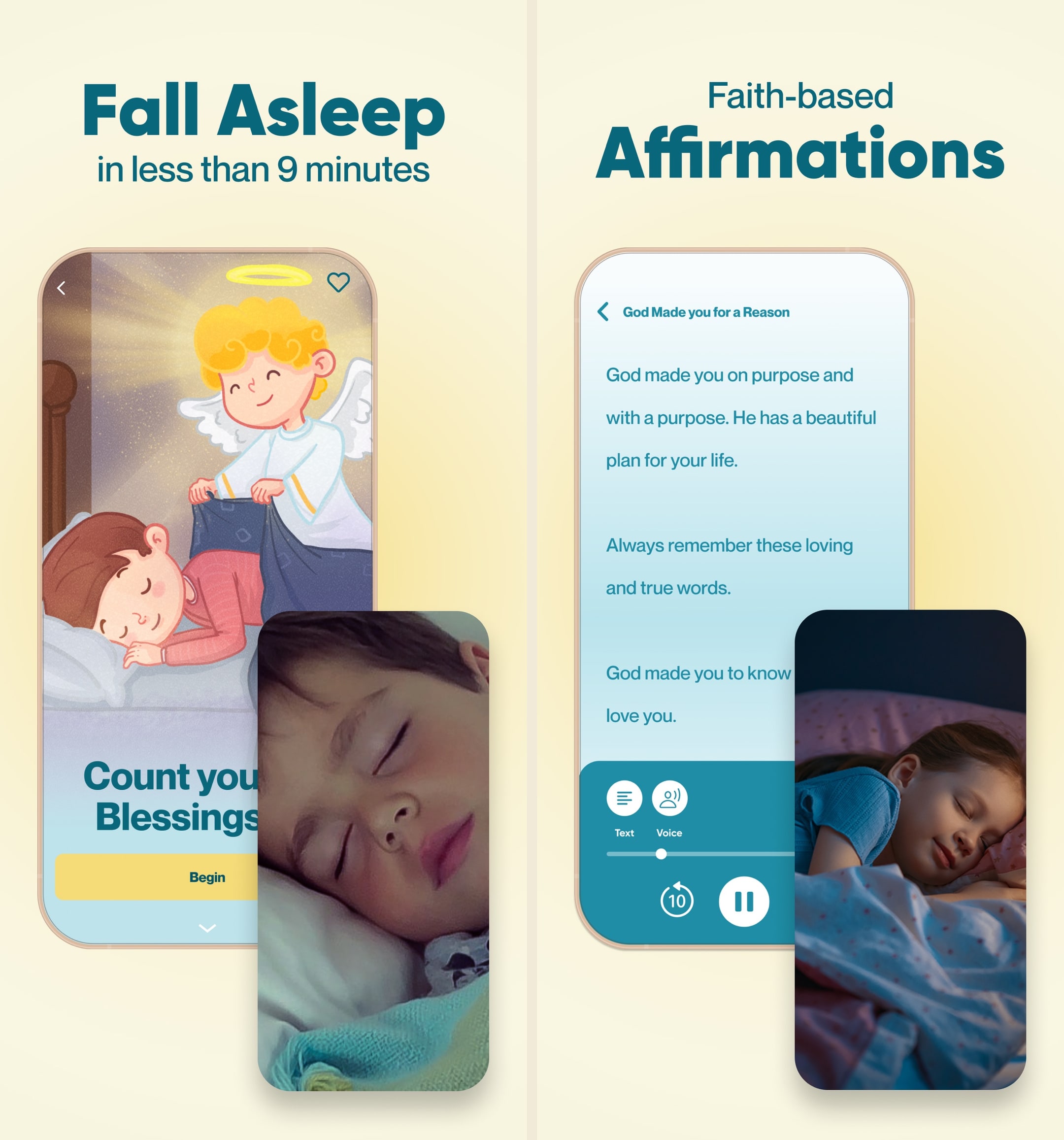
Theo is a real outlier in the kids Bible category and the only app I tested that treats Catholic practice as a first-class citizen instead of a footnote. The audio production carries over cleanly from Familify's Storybook lineage, and the 9-minute bedtime framing is genuinely well-designed for actual parent behavior. What I did not expect was how aggressively they price the Golden Ticket: $59.99 lifetime is the same as a single year of subscription, which signals either confidence in retention or a real push to capture cash up front. The honest weakness is that the app explicitly refuses to animate, so toddlers raised on Life.Church's free animated stories will read Theo as boring even if parents love the calm. There is also no scripture text and no parent dashboard, which keeps it firmly in the devotional-companion lane rather than the Bible-learning lane. If you are Catholic, bilingual, or specifically want a bedtime-prayer ritual instead of a Bible-reading app, Theo is the strongest option on either store. For everyone else, the price and the no-animation stance make it a second app, not a first one.
What we like
- Made by Familify Corp, the team behind Storybook (4M+ downloads, Apple-featured for Bedtime), so the audio production and bedtime UX are unusually polished for a faith app.
- 100+ devotional resources spanning guided prayers, novenas, a kids Rosary, Bible stories, scripture-based meditations, and affirmations — a wider scope than most kids Bible apps.
- One of the few kids faith apps with first-class Catholic content (Rosary, novenas) alongside a non-denominational filter, so mixed-tradition families are not forced to pick a lane.
- Full English and Spanish audio out of the box, which is rare in this category and meaningful for Latino Catholic households.
- Lifetime Golden Ticket at $59.99 is priced the same as a single year of subscription, giving committed families a clean off-ramp from recurring billing.
What to know
- Explicitly not animated — content is audio-only, so kids accustomed to Bible App for Kids or Bible Heroes will find Theo visually flat.
- No scripture text view, no KJV/NIV/ESV passages, and no way to surface the actual verse a meditation is built on.
- No parent dashboard, no progress tracking, and no age-based content filtering despite covering ages roughly 2 through 12.
- Monthly tier at $14.99 is the highest entry price in the kids Bible app category, and the free shell is thin enough that most families will hit the paywall in the first session.
- Requires iOS 17.6+, which silently locks out older iPads still common as kids' hand-me-down devices.
Best for
Families building a calm, audio-only 9-minute daily routine where the lack of animation is the feature, not a bug. Bilingual Spanish-English households and Catholic families also get first-class content here.
Skip if
You are price-sensitive (this is the most expensive option here), or your child specifically needs a visual companion to stay regulated and engaged.
Heaven sent to our family
Since we started using the Theo app 1-2 months ago as a trial my 2 boys (3yo & 6yo) became even more excited with our bedtime routine. When its lights off, they look forward to do family prayer time and after that they say "it's Jesus time" meaning mommy would open the Theo app. They like going through the 3 features for free. They listen to it and when it comes to the night time meditation they would fall asleep to after listening. I love listening to the app as well as their mom since these reminders from God are not just for our kids but also reminders for us as parents too because after all we are all children of God. We can all use a loving reminder at the end of a long day. Love how my boys are listening to this before they sleep to remind them they are loved and wonderful children of God. Thank you for creating this app. This has been a blessing to our family. Looking forward to get the full experience of the app when we pay for the subscription. May God continue to bless the creators and users of this beautiful app.
— cjmmarqz · July 24, 2025
Bible Stories for the Young
Free, ad-free, semi-animated Bible video storytelling for kids from a tiny family ministry.
- Our score
- 6.7/10
- Pricing
- Free
- Platforms
- iOS, Android, Web
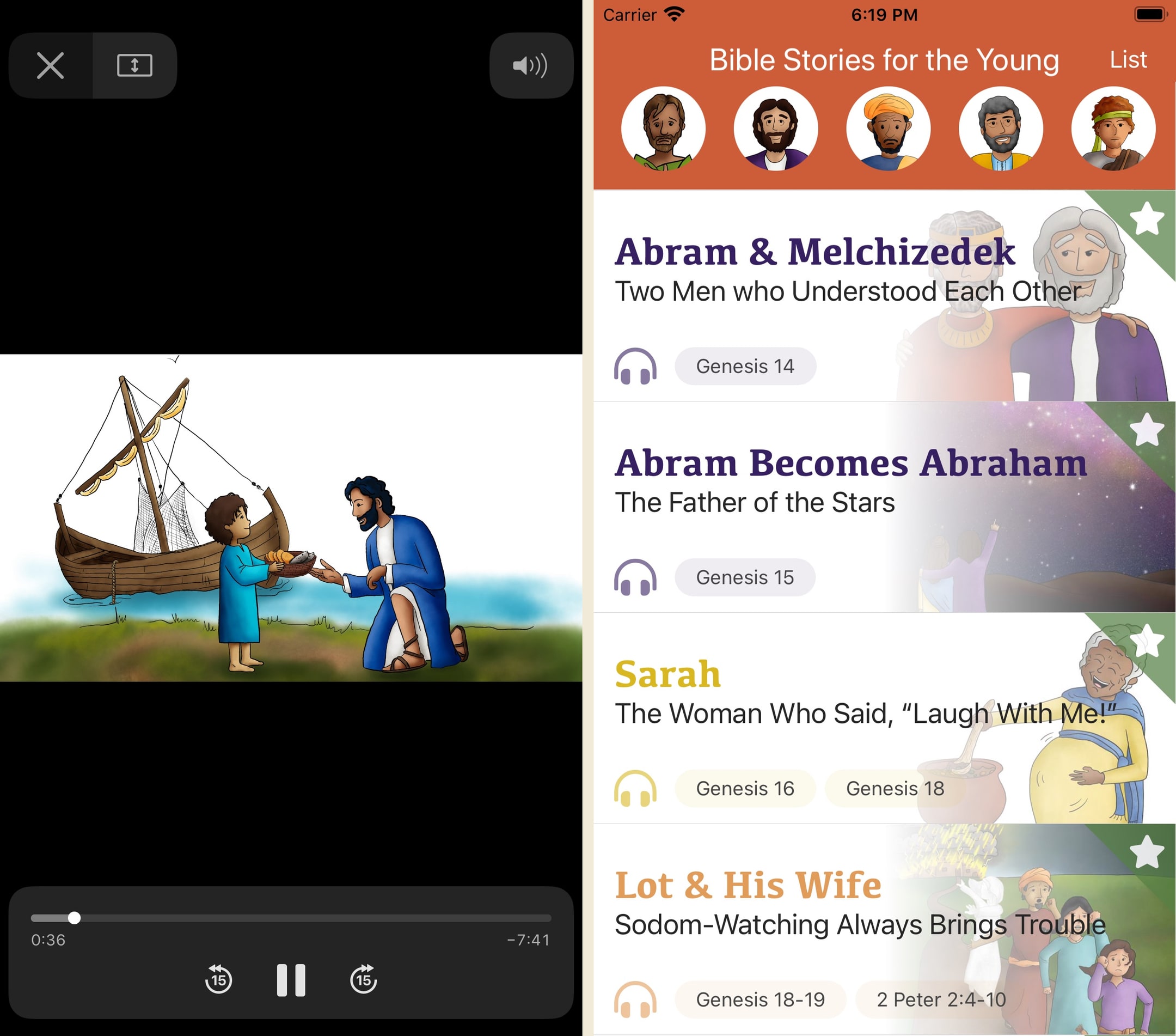
This one surprised us in a quiet way. It is clearly a small operation (likely a single family or micro-ministry working under the Tangent Media Network and 4JLT umbrella), and yet the no-ads, no-IAP, no-donate-button posture is more honest than what most VC-backed kids apps deliver. The semi-animated video format with an audio-only fallback is a smart choice for a small team, since they can ship faster than full 3D animation studios. What holds it back is everything around the content: there is no parent dashboard, no scripture surface, no defined translation, and the update cadence has stalled with the library still well short of the stated 365-story goal. If we were a parent, we'd let a kid watch a few of these alongside Bible App for Kids and Superbook, and treat it as a supplementary storytelling channel rather than a primary Bible app. If we were the developer, we'd publish an About page tomorrow explaining who is behind this and which tradition the stories sit in, because the trust gap is the only thing standing between this app and a much larger audience.
What we like
- Genuinely free forever with zero ads and zero in-app purchases, which is rare outside of Life.Church-scale ministries.
- Audio-only playback toggle is unusual in the kids Bible category and useful for car rides or bedtime.
- Semi-animated video format paired with narrated storytelling sits between flat slideshow apps and full Pixar-style productions.
- Stated goal of 365 stories is far more ambitious than the 41-to-100-story libraries that dominate the category.
- 4.8-star average across 237 ratings on the App Store suggests the small audience that finds it tends to stick around.
What to know
- Tiny rating count (237 reviews as of May 2026) means feedback is thin and quality is hard to verify across the full library.
- No scripture text view at all: the developer explicitly states this is storytelling, not a children's Bible or translation.
- No parent dashboard, no progress tracking, no quizzes, no age filter, and no reading-level toggle.
- Translation and denominational tradition are nowhere disclosed on the app, the website, or the App Store listing.
- Update cadence is slow (last update November 2023 as of May 2026) and the promised 365-story roadmap is still well under half complete.
Best for
Families who want a free, ad-free narrated Bible video app with an explicit audio-only playback toggle, useful when the screen is too much stimulation but a paid app is not the right fit for the household.
Skip if
You need offline downloads, parent visibility into what your kid watched, or a defined translation and tradition for the content.
Very Surprising
App is free...no ads. I can’t believe how much work must have gone into this. Continually being updated with new stories. Be aware this is a work in progress...most of the stories seem to be complete with semi-animation (still pictures that change every few seconds). I say “seem to be” because I have not even come close to watching them all. You will not believe how many stories they have done already. They must be planning on doing the entire Bible. Even the most obscure sections of the Bible are getting covered. Some of them are just the storyboard for now or a single picture with audio but, as I said, they are actively updating the stories (almost daily??) so I think it is really interesting that they are giving you the “previews” and you can see them progress. If you don’t want to watch the unfinished ones there are PLENTY of completed ones. If you are a parent, listen to them with your children. You will be touched. They do not talk down to children and so the stories have just as much value to adults. I am not a “crier” and some of them have brought tears to my eyes.
— ace3265 · September 27, 2020
Bible Kids
Free unlimited ad-free animated Bible video — 'Bible Heroes of Faith' and 'Simon & Sarah.'
- Our score
- 6.9/10
- Pricing
- Free
- Platforms
- iOS, Android
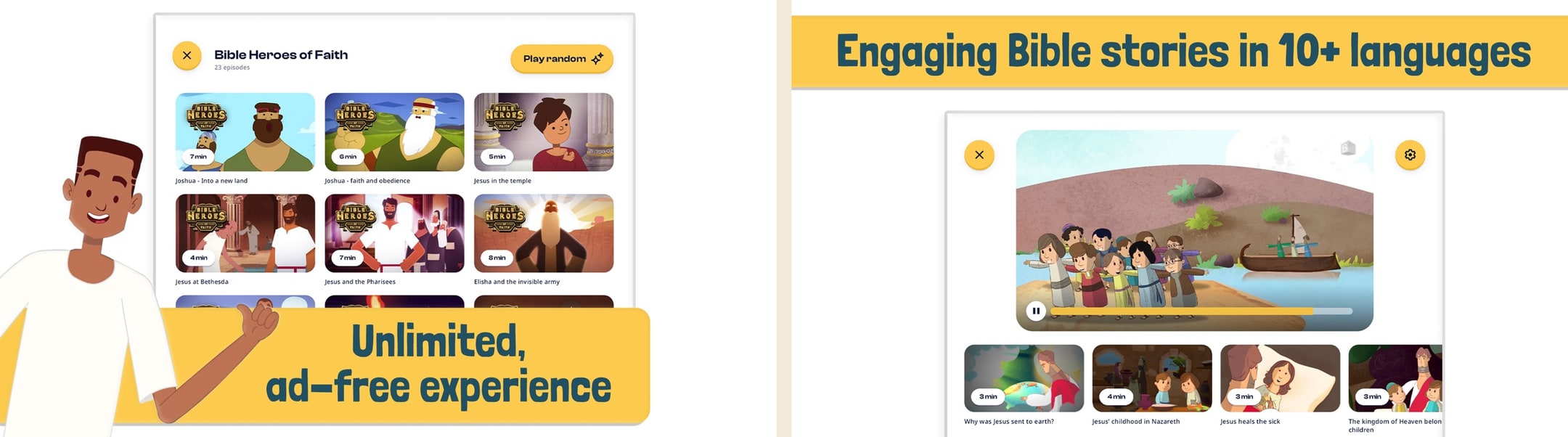
The animation is genuinely modern and the no-ads pledge holds up, which makes this a real free alternative to Minno's paid catalog. The honest disclosure: BCC Media is the media arm of Brunstad Christian Church, a Norwegian movement that has its own theology and history. The content itself is mainstream Bible storytelling, but parents who care about the publisher behind the content should look up BCC before installing. Strong free option with that caveat.
What we like
- Free and ad-free, funded by a media nonprofit — sustainable model
- Modern animation production values that beat YouVersion's older illustrations
- Two distinct series (Heroes of Faith plus Simon & Sarah) give content variety
- Active updates through 2025
- Cross-platform iOS and Android distribution
What to know
- Affiliated with the Brunstad Christian Church (BCC), a Norwegian movement some parents may want to research before installing
- Video streaming only — no scripture, no interactivity, no quizzes
- Smaller content library compared to Minno or Superbook
- No offline downloads — needs Wi-Fi or cellular
- Brand recognition is low in the US market
Best for
Households that want a free, ad-free animated alternative to Life.Church's library, with modern animation that is generally calmer than older cartoon styles. Cross-platform on iOS and Android.
Skip if
You need offline playback (this is streaming-only), or you are uncomfortable installing kids content from a denominationally affiliated publisher you have not researched first.
Amazing quality
Some of these completely free movies and shows have amazing production value. Very engaging and meaningful. Any Christian parent can feel safe installing this for kids to use unsupervised. I know I know but seriously!
— Elsa 7482 · December 15, 2024
SunScool - Bible for Kids
600+ lessons and puzzles in 22 languages — built for missionary Sunday schools.
- Our score
- 7.0/10
- Pricing
- Free
- Platforms
- iOS, Android
If you measure on lesson volume per dollar, SunScool wins by a wide margin — 600 lessons free is unmatched. The catches are design polish and the somewhat utilitarian missionary-tool feel. For a Sunday school teacher building lesson plans or a multilingual family, this is a serious resource. For a parent looking for bedtime storytime, the vibe is off.
What we like
- 600+ Bible lessons — by far the largest learning-focused library in the category
- 22+ language interfaces including Chinese, Korean, Vietnamese, Turkish, Indonesian
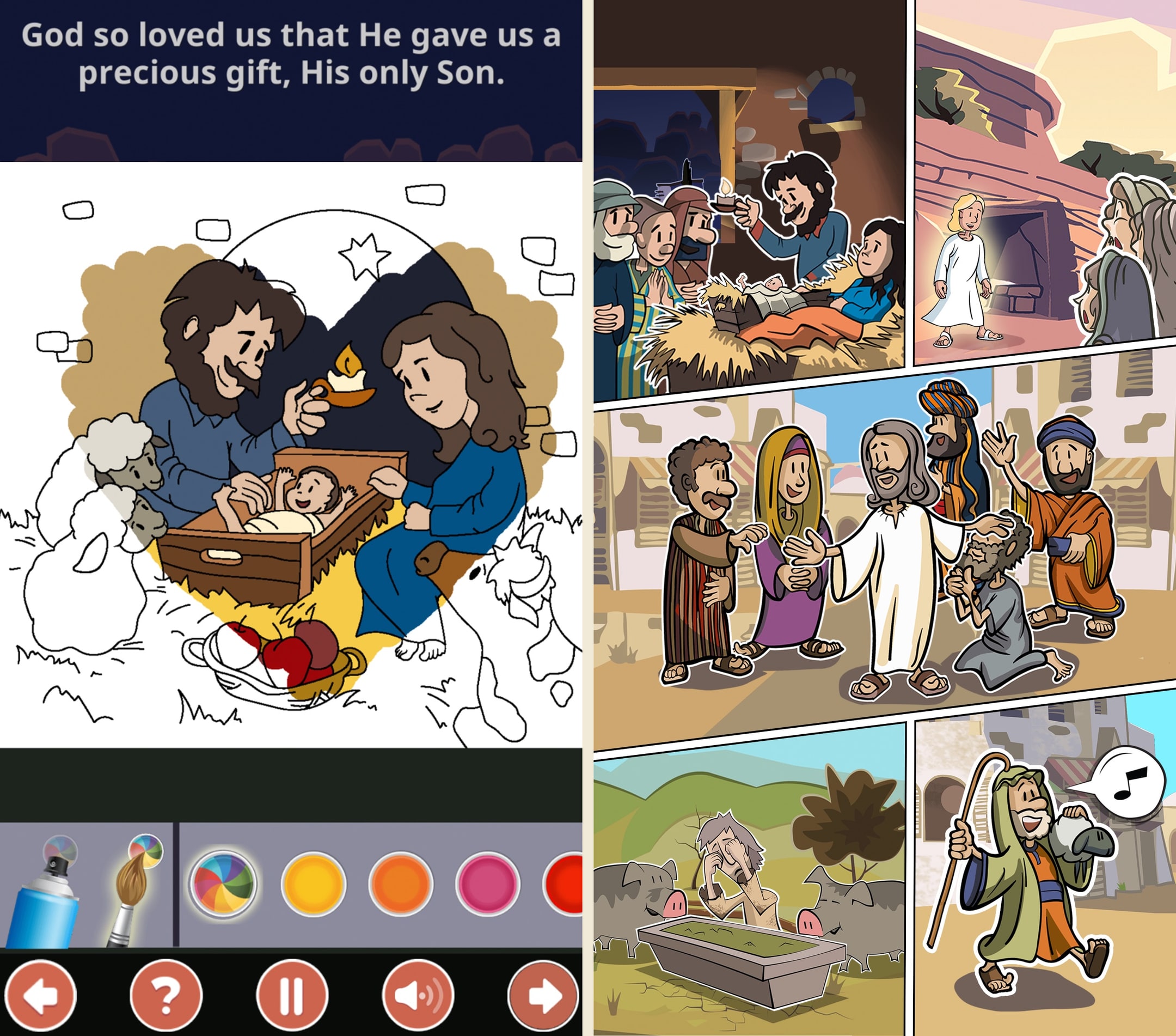
- Six different puzzle modes (word search, crossword, sea-battle, bubble-pop) keep engagement varied
- Free with no IAPs — funded as a missionary tool
- Designed for Sunday school structure with lesson search by Bible reference
What to know
- Visual design is utilitarian and feels translated rather than native English
- No central narrative arc — feels more like a curriculum tool than a kids app
- Sea-battle game mode in a Bible app is an unusual creative choice
- Solo developer with limited transparency on the publisher
- Activity quality varies significantly across the 600 lessons
Best for
Sunday school teachers and homeschool parents working with special needs kids who benefit from a deep, lesson-grid library (600+ lessons) and multilingual interface support across 22 languages.
Skip if
You want a single coherent story arc rather than a lesson grid, polished consumer-grade visual design, or a calmer audio-first experience for sensory-sensitive kids.
Amazing App
This app is so nice, and teaches not only younger kids but also older kids. You can pick the language so it’s easier for you to understand and the stories are short and fun, there are little games like coloring and crosswords, there’s so much fun things to do, all for the glory of God. So greatful for all the people that made this app. My little brother plays it everyday, the first thing he asks when he comes home from school is “can I play Sunschool please!” It’s an amazing app with lots of good stories from the Bible. Definitely recommend getting! <3
— anastasia.aes · November 30, 2021
Verdict
Top pick: Bible Stories For Kids! [bible-stories-for-kids]. Of the apps we tested, this is the one that flexes the most across different special needs. The audio-first design means a kid who needs the screen off (sensory regulation, dyslexia, visual processing) can still get the story. The 10-minute episode length lands in the right window for attention regulation. The pacing is consistent from story to story, which matters for kids who need predictability. The printable color-along sheets give a tangible offline extension for kids who need to move while they listen. It is not labeled special needs anywhere, but the proxy properties line up.¹
Runner-up: Bible for Kids: Bedtime Stories [bible-for-kids-bedtime-stories]. Pick this one if your child specifically benefits from a screen-off, audio-only routine with a predictable shutoff. The 15 / 30 / 60 minute sleep timer is genuinely built in (not bolted on), the offline playback works in environments where Wi-Fi or stimulation needs to be minimized, and the $4.99 one-time purchase means no recurring billing pressure on a household that already manages a lot of subscriptions.²
We want to be honest about the gap here. Not one of the apps on this list ships a real accessibility mode: no captions or transcripts toggle for hearing differences, no high-contrast or dyslexia-friendly font option, no motor-accommodation mode that simplifies tap targets, no calm mode that strips animations and sounds for sensory regulation. The best of these apps are the ones that happen to be quiet, audio-first, and low-friction by default. That is not the same thing as an app built for special needs kids. If you are a parent reading this and wondering why nobody has built that app yet, you are not alone.
Why "kids Bible app for special needs" is hard to even define
Most search guides on this topic quietly assume "special needs" means one thing. It does not. The umbrella covers at least five overlapping categories of difference, each of which would imply a different app design.
Sensory processing differences mean a child is over-responsive or under-responsive to sound, light, or touch. For those kids, surprise sound effects, sudden volume spikes, fast scene cuts, and high-contrast flashing UI can push them past their regulation window in seconds. The right app is quiet, predictable, and slow.
Attention regulation differences (commonly ADHD, but not only) mean a child cannot sustain focus on a long, slow-paced story. For those kids, an app that runs a single 25-minute episode without a natural exit point is unusable. The right app uses short episodes, lets the child re-enter mid-story without losing their place, and forgives interruption.
Motor and coordination differences mean a child cannot reliably hit small tap targets, swipe in a precise direction, or use multi-finger gestures. For those kids, an app that requires drag-and-drop interactions, pinch-zoom, or precise on-screen taps to advance the story is a barrier. The right app uses large hit targets, single-tap controls, and forgiving gesture detection.
Dyslexia and reading delay mean a child cannot read the text the app puts in front of them, or reads it slowly enough that the audio outruns the page. For those kids, the right app is audio-first and does not gate any meaningful content behind on-screen reading. Scripture text is welcome, but only as a co-read with a caregiver.
Hearing differences mean a child cannot follow audio narration, either because of profound hearing loss, processing differences, or a noisy environment. For those kids, the right app would include captions, transcripts, or sign-language video. We could not find a single kids Bible app that ships any of those.
Cognitive delay is the broadest umbrella inside the umbrella. It covers kids whose chronological age is well past the apps' target audience but whose developmental window matches a younger band. The right app is age-flexible, does not visually infantilize an older child, and does not lock content behind a stated minimum age.
The honest reading of all of that is that "Bible app for special needs kids" is not a product category. It is a parent's search for any kids Bible app that will flex enough to serve their kid. We wrote this guide accordingly: we did not invent special-needs features that do not exist. We ranked the apps on how much they actually flex, and we said where they fail.
How we evaluated the apps (proxy-properties approach since no app is purpose-built)
Because no app on either store markets itself as a special needs Bible app, we could not score apps on a label. We scored them on four proxy properties that consistently show up across the diagnoses above.
The first proxy is adaptability across multiple needs. We did not reward an app for serving one category well if it locked out another. An app that helps sensory regulation but requires precise tap targets is not a special needs Bible app, it is a sensory Bible app. We rewarded apps whose default mode of use already served two or more categories at once.
The second proxy is audio-first or audio-only delivery. Across the umbrella, audio is the single most common accommodation: it serves dyslexia, sensory overload, visual processing differences, and kids who learn by listening. An app where audio can carry the whole experience with the screen off scored highest. An app where you cannot follow the story without watching the animation scored lower, no matter how good the animation is.
The third proxy is cognitive load of the UI. We counted menus, taps from launch to story, decorative elements during stories, and the volume of optional features begging for attention. The lower the load, the higher the score. An app with one tap to a story, a single play control during the story, and no decorative noise during playback scored higher than an app with three menus, a daily streak counter, and an animated mascot in the corner.
The fourth proxy is predictability and routine support. Many kids on the umbrella rely on routine. We tested whether the experience is the same from one session to the next: same narrator voice, same transitions, no surprise content, no auto-shuffle, and the ability to repeat a single story without the app pushing the kid to the next chapter. Apps that change behavior between sessions, or that interrupt a chosen story with a prompt to upgrade, scored lower.
For each app, we installed on a real iPad and a real Android phone, ran the equivalent of at least three full sessions, and watched what happened when the experience was used as a child on the umbrella would actually use it (screen off, no parent driving, story repeated several times in a row, app launched cold each time).
What we did NOT test
We want to flag the limits of what we are reporting on this page, because special needs accommodations are easy to overclaim.
We did not test any app with assistive technology like VoiceOver or TalkBack, switch control, or external accessibility hardware. Most of these apps appear to be only loosely compatible with screen readers, but we cannot tell you with confidence which works best. If your child relies on assistive tech, treat our rankings as a starting point, not a screen-reader audit.
We did not run any of these apps with a board-certified occupational therapist, speech-language pathologist, or special education teacher in the room. Our judgments come from parent-experience testing, not clinical evaluation. We are not qualified to say which app is therapeutically appropriate for any individual child, and we did not try.
We did not have a child with a specific diagnosis in the room for every session. We tested across multiple sessions and tried to use the apps the way the umbrella implies they would be used, but we did not run controlled testing with diagnosed kids. The rankings reflect properties of the apps, not measured outcomes for children.
We did not formally test for hearing accessibility. We checked for captions and transcripts, found that none of the apps ships them in a robust way, and noted the on-screen-text behavior of the animation-forward apps. We did not test sign-language video integration, hearing-aid Bluetooth handoff, or visual-only mode performance.
We did not evaluate clinical or therapeutic claims made by any of the apps. A few of the apps in adjacent categories make passing mentions of being calming or supportive of various needs; we did not test those claims as advertised, and we are not endorsing them as a parent decision tool.
If any of those gaps matter to your family, take this page as input and combine it with input from your child's care team. We are working from hands-on use, not credentialed evaluation.
Tinykiwi. Coming soon.
The audio Bible app for kids.
Tinykiwi is an audio Bible app for kids that turns Bible learning into family time at bedtime, in the car, or before church.
Sources
- Bible Stories For Kids! (Truth Web Design, LLC). App Store listing and developer site, captured May 2026. Audio-first design, 10-minute episodes, printable activity sheets, sensory-friendly audience tag, monthly content release cadence verified against the developer's public release notes.
- Bible for Kids: Bedtime Stories (Karaleuski Stanislau). App Store listing, captured May 2026. Sleep timer durations (15, 30, 60 minutes), offline playback, and one-time $4.99 full-access pricing verified from the in-app purchase configuration and the App Store listing as of the review date.