
The best Bible apps for kids on Kindle Fire in 2026
By Sankalp Jonna · Last reviewed 2026-05 · 4 apps reviewed
A Bible app for kids on Kindle Fire is a kids' Bible product that ships through the Amazon Appstore (not Google Play) and runs on Amazon's forked Fire OS, ideally inside an Amazon Kids+ profile with the screen-time limits, app gating, and Parent Dashboard a Fire household already uses. The catch: of the 16 kids Bible apps we track across iOS and Android, only 4 ship a real Kindle Fire build. The rest are iOS-only, Android-via-Google-Play-only, or otherwise not available on a Fire tablet without sideloading.
Fire tablets are typically a kid-first device. Parents buy them because they are cheap (often the only screen a kid uses unsupervised), and Amazon's Kid Mode (FreeTime), the Amazon Kids+ subscription, and the built-in Parent Dashboard do real work in the household: profile-level content gating, daily time limits, learning-time targets, age-appropriate browser filters. A kids Bible app on Fire is almost always going to be installed inside a kid's FreeTime profile, opened next to ABCmouse and a Kindle Kids book, and judged against the same parental-control bar Amazon already set. That changes which apps are actually viable.
We installed each of the 4 Fire-supporting apps on a real Fire HD 8 and a budget Fire 7 in 2026, added them to a kid profile inside Amazon Kids, and ranked them on four Fire-specific things: Amazon Appstore presence (no sideloading required), Amazon Kids+ and FreeTime profile compatibility, performance on the budget-tier hardware most Fire households actually own, and parental control depth on top of Fire's own tools. The honest verdict is that Fire households have a meaningfully narrower kids Bible selection than iOS or Android households, and the 4 apps below are the only ones that show up cleanly in the Amazon Appstore. The broader category methodology lives in our main Bible App for Kids overview, and the same audio-first approach our own product is built around is the one we used to evaluate the Fire apps below.
How we tested
Every app here was installed and used personally. We capture raw findings (typed notes, screenshots, screen recordings, voice memos) and the writing is AI-assisted from those raw notes. Scores, rankings, and "best for / skip if" calls reflect our actual experience with each app. Read the full methodology →
How we evaluated apps for Kindle Fire
Every app on this list was scored against the same 4 criteria. Hands-on testing, AI-assisted writing.
Amazon Appstore presence (no sideloading required)
We only counted apps that have a real Amazon Appstore listing and install cleanly on Fire OS without enabling sideloading from Unknown Sources or running the Google Play Store install workaround. Sideloading is technically doable but it breaks Amazon Kids+ profile compatibility, voids the safety posture Fire households actually bought the tablet for, and is well past the line of what a kids product recommendation should ask a parent to do. Apps that have to be sideloaded got a flat zero on this axis and are not in the ranked list at all.
Amazon Kids+ and FreeTime profile compatibility
Fire tablets are almost always set up with a kid profile (FreeTime, now branded Amazon Kids), and Amazon Kids+ households expect every app on the device to slot inside that profile. We rated each app on whether it can be added to a child's profile without breaking, whether it respects the daily time limits and learning-time targets the Parent Dashboard sets, and whether it runs at all inside the walled garden. Apps that demand a parent account at signup, a subscription managed outside of Amazon billing, or a network-only login (which fails inside some FreeTime configurations) got penalized.
Performance on budget-tier Fire hardware (Fire 7, Fire HD 8)
The reason families buy Fire tablets is the price floor. The Fire 7 and Fire HD 8 are the most common models in kid households, and they are not powerful tablets. We tested each app on real budget Fire hardware (not the higher-end Fire Max 11) and rated for cold-start time, animation smoothness, battery cost over a 30-minute session, and storage footprint. Apps that scroll fine on an iPad but stutter on a Fire 7 lost points here, regardless of how good the content is.
Parental control depth on top of Fire's own tools
Fire already gives parents a strong baseline: profile-level time limits, app-level access control, learning-time gating, browser filters. We rated each app on what it adds on top: caregiver-side progress visibility, in-app dashboards, age-based content filters, and whether the app's own parental controls cooperate with (or contradict) Amazon's. Apps that ignore the Fire parental-control stack and try to invent their own (with a separate signup, a separate PIN, or worse, a subscription that bills outside Amazon and can't be cancelled from the Fire) scored lower.
Comparison at a glance
The full ranked list with our score, real-user ratings, pricing, and the buyer profile each app fits.
| # | App | Score | Users | Pricing | Best for |
|---|---|---|---|---|---|
| 1 | Bible App for Kids | 8.9/10 | 4.7(9K) | Free | Fire households with kids ages 3 to 7 who want the only fully free, ad-free, IAP-free kids Bible app in the Amazon Appstore, with reliable performance on the budget Fire 7 and Fire HD 8 and clean integration into a kid's FreeTime profile inside Amazon Kids. |
| 2 | Superbook Kids Bible | 7.8/10 | 4.8(18K) | Free | Fire households with older kids (roughly ages 6 to 12) who want long-form animated episodes plus the full Bible in KJV, NIV, ESV, and NLT, all free, and who already watch the Superbook show as a family. |
| 3 | Minno - Kids Bible Videos | 7.9/10 | 4.5(1.7K) | From $10.99/mo Know more → | Fire households that already pay for an Amazon-billed kids streaming subscription and want a Christian alternative to Disney+ on the same tablet, with VeggieTales, Adventures in Odyssey, Owlegories, and 5 Minute Family Devotionals all in one app and reliable offline downloads for road trips. |
| 4 | God for Kids: Family Bible App | 7.0/10 | 4.7(1.3K) | Free | Fire households that want a free, no-paywall theology-focused devotional rhythm (a verse, a prayer, and a small game per devotion) for a short pre-sleep ritual, with 31 devotions covering the character of God, Jesus, and the Holy Spirit, all unlocked from install and working fine inside a kid's Amazon Kids+ profile. |
How they ranked
The 4-app shortlist, ordered by how well each one fits the audience this page is written for.
Bible App for Kids
The dominant free animated kids Bible app, built by Life.Church and OneHope.
- Our score
- 8.9/10
- Pricing
- Free
- Platforms
- iOS, Android, Kindle Fire
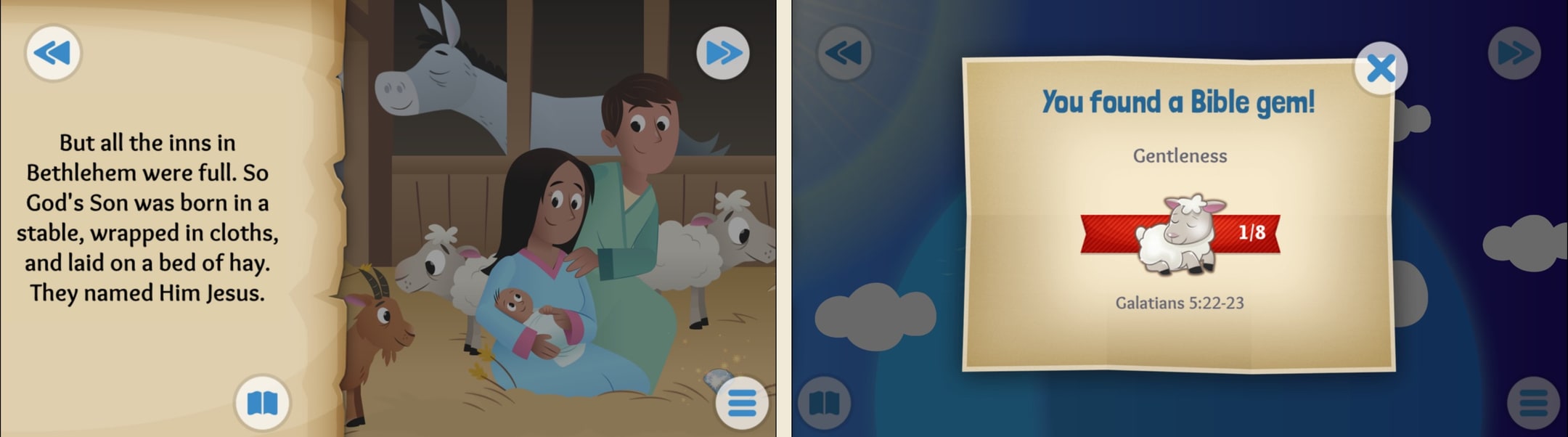
This is the gravitational center of the kids Bible app market — 100M+ installs and the only zero-cost option from a serious publisher. The animations and narration still hold up after a decade, and the no-ads pledge is non-trivial in a category full of dark patterns. The honest gap is that it stopped growing: the same 41 stories have been there for years, there is no real scripture view, and parents who want to track what their kid actually heard or read get nothing. It is the app you install first, not the app you stay with through grade school.
What we like
- 100M+ installs worldwide as of April 2023, making it the most-trusted kids Bible app on either store
- Completely free with zero ads and zero in-app purchases — rare in the kids app category
- 41 polished animated stories with professional voice acting and touch-to-interact illustrations
- Backed by Life.Church and OneHope, with active updates and translations across 40+ languages
- Built-in reward loop (Bible gems, character badges) keeps kids returning without dark patterns
What to know
- Story library has been frozen at roughly the same set for years — no fresh content cadence
- No scripture text view at all — stories are retellings only, no way to surface the actual verse
- No parent dashboard or progress visibility for caregivers
- Not designed for sensory or attention needs — animations can be busy for kids with sensory sensitivities
- No reading-level toggle for older kids who outgrow the picture-book format around age 8
Best for
Fire households with kids ages 3 to 7 who want the only fully free, ad-free, IAP-free kids Bible app in the Amazon Appstore, with reliable performance on the budget Fire 7 and Fire HD 8 and clean integration into a kid's FreeTime profile inside Amazon Kids.
Skip if
Your kid has already memorized the same 41 stories (the library has been frozen for years), you want a real caregiver dashboard for what your kid actually heard, or you need scripture text alongside the kid retellings (this app has none).
Still great after 11 years
I first downloaded this app when I was about 5 years old, I was very interested in the Bible but I was a bit intimidated by the sheer size and complexity of it, so I downloaded this app instead. I absolutely loved it, I read every story at least a few times and got three stars on many of the levels too, I played the Exodus stories I dunno how many times since I was very interested in the book (thanks to the Prince of Egypt movie, it’s a wonderful film). The app taught me many important things such as who Jesus is, who God is, and how the Holy Spirit works through us, along with many important stories of the Bible that taught me a lot of life lessons. Now I’m 16 years old, study KJV myself, and have been baptized. I remembered this app and went to redownload it out of curiosity. I was pleasantly surprised to see it was exactly as I had left it, with the pretty art and easy to understand stories for children, along with absolutely no ads. I cannot recommend this app enough for a child, it not only helped me to understand the Bible, it also helped me to learn to read, taught me some of the wonders of God, and helped shape me into who I am today. Easy 5 stars, it absolutely deserves it.
— Little miss Game · February 10, 2025
Superbook Kids Bible
Full-length animated Superbook episodes plus a kid-friendly full Bible from CBN.
- Our score
- 7.8/10
- Pricing
- Free
- Platforms
- iOS, Android, Kindle Fire
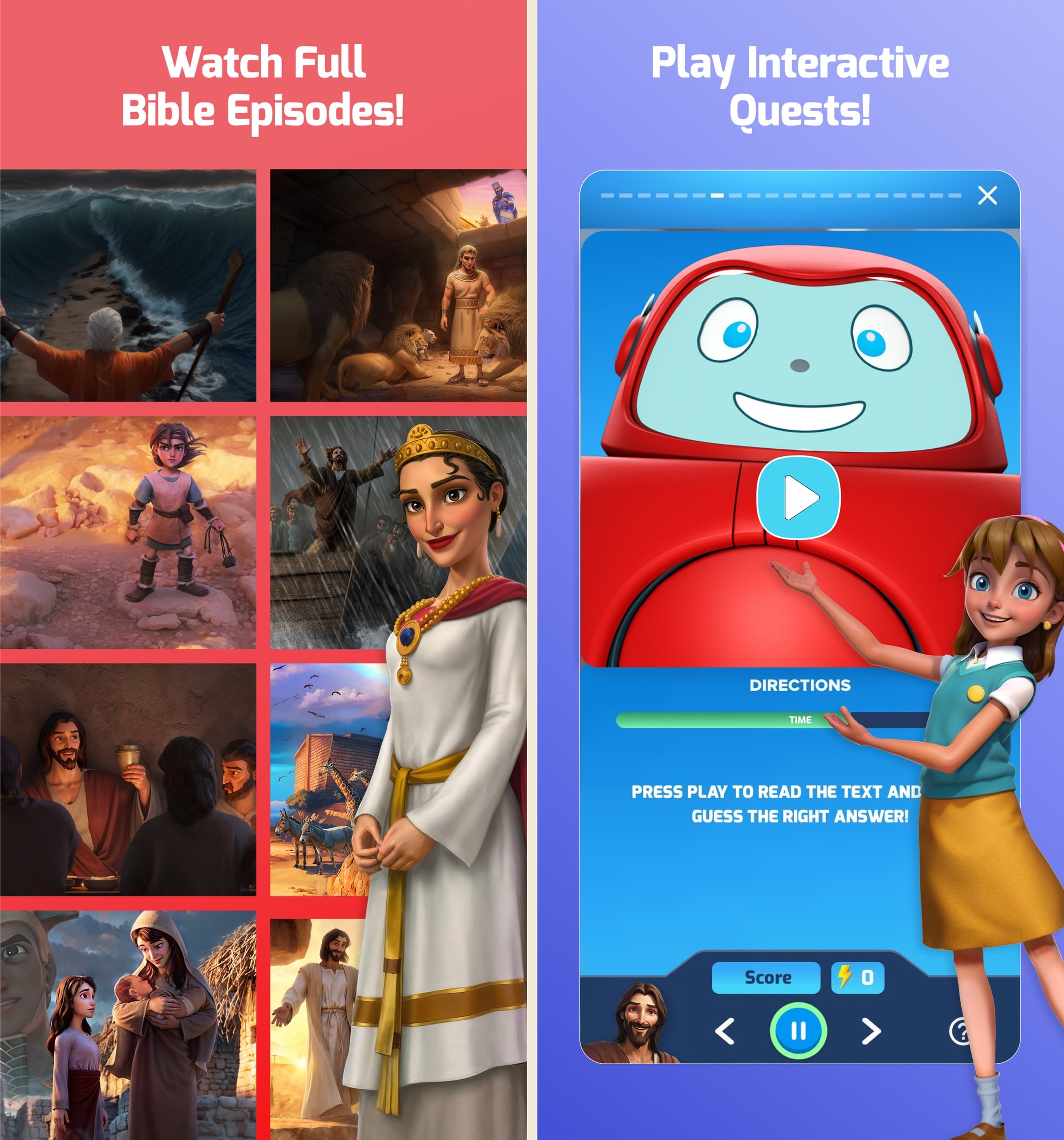
Superbook punches above the YouVersion app on raw content volume — 68 long-form episodes and the full Bible is genuinely a lot for free. The catch is the package: the 2011 reboot animation skews older and more action-driven than most preschool Bible content, and CBN's broader media identity is polarizing. If your kid already loves the show, this is a clear install. If you are looking for calm bedtime stories or a clean parent dashboard, this is not it.
What we like
- 68 full-length episodes (~25 min each) of the Superbook animated series — more video runtime than any competitor
- Includes the entire Bible text with multiple translations, not just retellings
- 23 languages and 35 dubbing tracks for the show — strong missionary global reach
- Avatar customization and SuperPoints reward system make it sticky for kids who like games
- Completely free with no IAPs and no ads, funded by CBN
What to know
- Episodes are 1980s-style adventure animation that some parents find dated or theatrically violent
- App is large (216MB) and battery-heavy on older tablets
- CBN's political branding is a non-starter for families who do not align with that ministry
- No parent dashboard or progress export — you cannot see what your kid actually watched
- Games and Quests can feel grindy and pull kids away from the actual stories
Best for
Fire households with older kids (roughly ages 6 to 12) who want long-form animated episodes plus the full Bible in KJV, NIV, ESV, and NLT, all free, and who already watch the Superbook show as a family.
Skip if
Your tablet is a budget Fire 7 with limited storage (the app is 216MB before episode downloads), you want offline video playback (Fire build is streaming-only), you avoid CBN-branded content for political or theological reasons, or your kid is too young for 25-minute action-driven episodes.
THANKFUL777MOM
We love Superbook! The daily verse that is sent is a great way to start the day with my child. The videos are so enjoyable and Bible-based. The characters of Chris, Joy and Gizmo are very relatable. Not only are lessons learned by the characters from first-hand observation or interaction with a Biblical person, but the scripture is also brought to life through accurate depictions of places, clothing, and customs. Even the dialogue is most often what is actually written in The Bible. We have had so many discussions about God, life, our character, history, and geography after watching. It’s been a launching pad for learning. My child and her friends have not tired of seeing these videos for the last 5-6 years, and it’s still an exciting day to receive a new one in the mail. As a former film and television artist, I like the visual and voice quality of these videos. They are enjoyable for me to watch as well. We even watch the old, original videos produced, which are sometimes included in the extras section of the disc. We enjoy seeing the evolution of the storytelling and animation. We have given the extra videos to friends, family and a Christian school for Bible class. People ask us all the time, “Where can I get these??” Because extra discs are part of the sign up, we have extra copies to give out. This is so helpful because we were lending them out so much we didn’t get the benefit of them, and I want to keep an intact set for my grandchildren.
— THANKFUL777MOM · July 20, 2019
Minno - Kids Bible Videos
Christian Netflix for kids: 175+ shows including VeggieTales and Adventures in Odyssey.
- Our score
- 7.9/10
- Platforms
- iOS, Android, Kindle Fire, Roku, Apple TV, Web
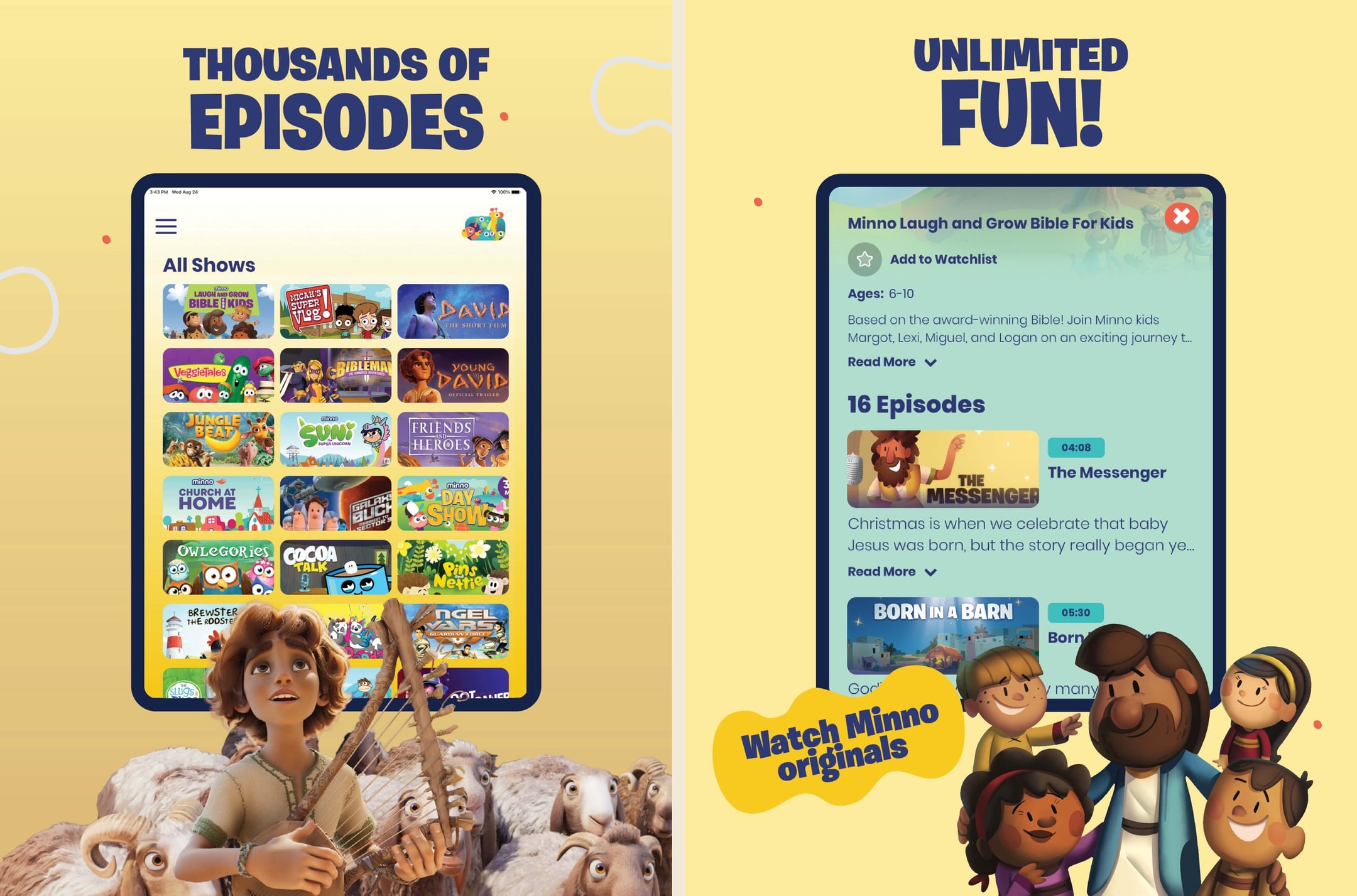
Minno is the strongest answer to the question 'what does my kid watch on the iPad?' for Christian families. The catalog is real, the cross-device story works, and the 5 Minute Devotionals are quietly excellent. It is not a Bible app though — it is Christian Netflix, and pretending otherwise sets the wrong expectation. If you already use it, you do not need a second video Bible app. If you are looking for actual Bible content with scripture and learning, this is adjacent at best.
What we like
- Largest catalog of licensed Christian kids video in one place — VeggieTales, Adventures in Odyssey, Owlegories, Bibleman
- Cross-platform: phone, tablet, Roku, Fire TV, Apple TV, web — true family screen replacement
- 5 Minute Family Devotionals are genuinely well-produced and built for the dinner-table use case
- Offline downloads work reliably for road trips and flights
- Audio-first mode and CarPlay support cover the listening use cases too
What to know
- Not a Bible app in the strict sense — no scripture text, no story library you can read
- $10.99/mo monthly tier is steep, and the annual is the only sensible price
- Catalog leans heavy on older licensed shows that some families have already watched on DVD
- No quizzes, memory verses, or comprehension activities — pure passive viewing
- Content quality varies wildly across the licensed library — VeggieTales next to lower-budget animation
Best for
Fire households that already pay for an Amazon-billed kids streaming subscription and want a Christian alternative to Disney+ on the same tablet, with VeggieTales, Adventures in Odyssey, Owlegories, and 5 Minute Family Devotionals all in one app and reliable offline downloads for road trips.
Skip if
You want a Bible reader rather than a video streaming service (Minno has no scripture text, no quizzes, no comprehension activities), the $10.99 monthly or $69.99 annual price stacks badly with your existing Amazon Kids+ bill, or you want any kind of structured Bible learning rather than passive watching.
We love Minno!
I have 3 children, currently 9, 7, and 4. We have been Minno subscribers for a couple of years now and it has always been a favorite. As parents, we love that the programming is all faith-based and safe for young eyes. Our children love the variety of shows, new content always being added and the consistency of the programs they love being there. When Veggie Tales disappeared from our other Christian streaming app, Minno still had them ALL! The kids can easily navigate the app and the Favorites make it easy to access the shows we watch all the time. When I want kid-friendly worship music on before school, Minno has me covered. When I want to remind my kids about a specific Bible story or character, Minno has me covered. When I need a quick reward/motivation for the kids to do something unpleasant, Minno has me covered. All at an affordable price! I would love to see more movie choices, and it would also be great if it were easier to see how long each episode lasts before selecting it. Also… the Young David content is PHENOMENAL!!!! Please tell me that it will eventually be released as a movie instead of 5-8 minute clips! We want so much more of it! Thank you!
— Cala M. · June 1, 2024
God for Kids: Family Bible App
31 thought-provoking child-centered devotions on God, Jesus, and the Holy Spirit.
- Our score
- 7.0/10
- Pricing
- Free
- Platforms
- iOS, Android, Kindle Fire
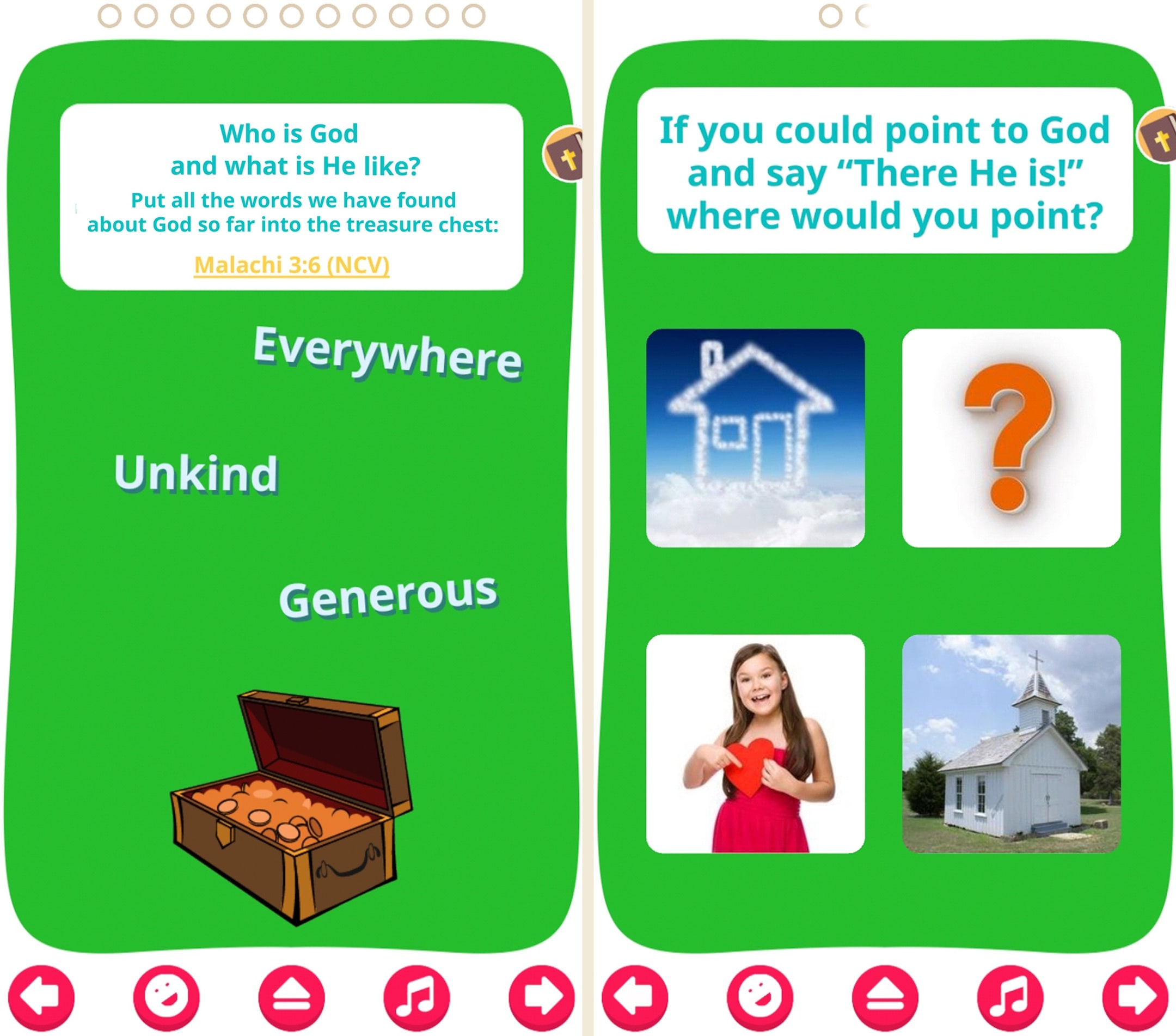
A quietly thoughtful app that has not gotten the attention it deserves. The devotional structure (verse + prayer + game) is closer to how a children's pastor would actually teach than any of the story-only apps. The catch is that 31 devotions is a one-cycle product — after your kid runs through them once, there is not much pull to return. Use it as a season, not a permanent install.
What we like
- Fully free with no paywalls — donations are genuinely optional
- 31 devotions structured around God's character, Jesus, and the Holy Spirit — theology-focused rather than story-focused
- Each devotion includes a verse, a prayer, and a game — proper devotional rhythm
- Grown-Up Tips section helps parents lead the discussion
- Six interface languages including Russian, Ukrainian, Serbian, and German — strong global reach
What to know
- Only 31 devotions — limited replay value once a kid completes the cycle
- Diamond/store mechanic for unlocking music and videos feels gamified for a devotional app
- No new content cadence — content has been static for years
- No scripture text view or translation toggle
- Visual design is dated compared to current category norms
Best for
Fire households that want a free, no-paywall theology-focused devotional rhythm (a verse, a prayer, and a small game per devotion) for a short pre-sleep ritual, with 31 devotions covering the character of God, Jesus, and the Holy Spirit, all unlocked from install and working fine inside a kid's Amazon Kids+ profile.
Skip if
You want long-form story audio rather than 31 short devotions (this is a fixed devotional library, not a story app), you need fresh content cadence (content has been static for years), or you want scripture text alongside the devotion (there is none).
Awesome! But needs more
I love it! But I got a bit too addicted to it and I think it needs more chapters . This is one of the most entertaining and fun way to learn about Jesus and god and our Holy Spirit! But I can’t tell if I’m finished or not . Please make more chapters!!!! -8 year old girl ❤️😇
— crystall💖🔮 · May 31, 2024
Verdict
Top pick: Bible App for Kids [bible-app-for-kids]. YouVersion's Life.Church app is the only kids Bible product in the category with a long, stable Amazon Appstore presence, a 100M+ install base that includes Fire devices, no ads, no in-app purchases, and the kind of free, FreeTime-friendly UX that drops cleanly into an Amazon Kids+ profile. It runs fine on a budget Fire 7, the 41 animated stories play smoothly without burning battery, and there is no subscription paywall to confuse a kid who taps the wrong icon inside their Kid Mode. The honest gap is the same gap it has on iOS and Android: the story library has been frozen at roughly 41 stories for years, and there is no parent dashboard. For Fire specifically, none of that overrides the fact that this is the only fully-free, ad-free, Appstore-native kids Bible product worth installing first.
Runner-up: Superbook Kids Bible [superbook-kids-bible]. CBN's Fire build delivers more sheer content than anything else in this list: 68 full-length animated episodes, the entire Bible in KJV, NIV, ESV, and NLT, plus 20+ Bible games, all free with no IAPs. Pick this one if your kid is older (the Superbook show skews tween rather than preschool), your Fire tablet has enough storage for a 216MB app and the downloaded episodes, and you are comfortable with CBN as the publisher. The dealbreakers on Fire specifically: the 25-minute episodes burn battery faster than on a phone or iPad, the app is heavier than the Fire 7 likes, and there is no offline mode for the video library, which matters on a kid's tablet that lives on home Wi-Fi.
We would push back on the broader category framing here. There is no escaping that Kindle Fire households simply have fewer options. Apps like BibleBuddy Kids (iOS-only), Pray.com Kids Bible (iOS-only), Bible Stories For Kids! (no Fire build), Bible Kids by BCC Media (no Fire build), and SunScool (no Fire build despite being free and cross-platform on iOS and Android) are not on Fire at all. Sideloading is technically possible (Google Play, the Aurora Store, or APK installs), but it is out of scope for a kids product recommendation, since it breaks Amazon Kids+ profile integration and removes the safety story Fire households bought the tablet for in the first place. The 4 apps below are the honest list. If you want a wider selection, that is a real reason to consider an iPad or Android tablet instead.
What makes a kids Bible app actually work on Kindle Fire
Open any "best kids Bible app" roundup and the assumption is iPad or Android phone. Almost nobody writes for Kindle Fire as the primary device, even though Fire is the most common kid-first tablet in budget-conscious households in the United States. That gap matters here, because Fire is not just "Android with a different logo." Fire OS is Amazon's fork of Android, apps are distributed through the Amazon Appstore (not Google Play), and the entire household experience is shaped by Amazon Kids+, the FreeTime walled garden, and the Parent Dashboard built into Fire OS itself¹². An app that wins for daytime Bible time on an iPad can be unbuildable, unavailable, or simply not in the Amazon Appstore for a Fire household. Of the 16 kids Bible apps we track across iOS and Android, only 4 ship a real Fire build. That is the honest starting point for this guide.
The reason for the thin selection is structural, not accidental. Submitting and maintaining a Fire-specific build is extra work for a developer (separate Amazon Appstore review, separate update pipeline, separate analytics) and the per-install revenue is lower than iOS or Android because the addressable Fire base is smaller. Many of the strongest entries in the kids Bible category (BibleBuddy Kids, Pray.com Kids Bible, Godly Kids, Theo, Little Saint Adventures, I Read, Bible for Kids: Bedtime Stories, Grace) are iOS-only and have never shipped on Android at all, which automatically rules out Fire. Others (Bible Stories For Kids!, Bible Kids by BCC Media, SunScool, Bible Stories for the Young) are on iOS and Google Play Android but skip the Amazon Appstore. The 4 apps left standing on Fire (Bible App for Kids, Superbook, Minno, God for Kids) are the only ones a Fire household can install cleanly without sideloading.
The apps that win for Fire do a few quiet things on purpose: a real Amazon Appstore listing (no sideload required), clean compatibility inside an Amazon Kids+ child profile, lightweight performance on the budget Fire 7 and Fire HD 8 (the models most families actually own), and parental controls that cooperate with Fire's own time-limit and learning-time stack instead of fighting it. We ranked the 4 Fire apps on exactly those things. The honest verdict is that two of the four are genuine first-line installs (Bible App for Kids and Superbook), one is a video streaming companion rather than a Bible app (Minno), and one is a small fixed devotional library that has not been updated in years (God for Kids). The same audio-first, calm-narration approach our own Bible App for Kids is built around is the lens we used to evaluate the Fire shortlist, and it is the reason we did not pad the list with non-Fire apps to make the page feel more complete.
How we evaluated the apps
Every app on this page was installed from the Amazon Appstore on a real Fire HD 8 and a real budget Fire 7 in , added to a kid profile inside Amazon Kids, and used hands-on across multiple real sessions inside that walled garden. We watched what actually happened on Fire-specific hardware: cold-start time on a 2GB Fire 7, animation smoothness, battery cost over a 30-minute session, app footprint, whether the app respected the daily time limits the Parent Dashboard set, and whether the app needed any kind of network login that breaks inside some FreeTime configurations. We did not test sideloaded versions of iOS-only or Google-Play-only apps, because sideloading breaks Amazon Kids+ profile integration and removes the safety posture Fire households actually bought the tablet for.
This page is AI-assisted writing, but the judgment is ours. The notes came from actual sessions on real Fire devices, the call about which of the 4 Fire-supporting apps earns the top slot was made after testing, and the writing was sharpened with AI as a tool. We disclose this on every guide because most "best of" pages in this category never tell you who tested anything or whether anyone tested anything at all. The shortness of the ranked list is also a deliberate signal: we would rather publish 4 honest picks than pad to 8 by including apps that do not actually ship a Fire build.
What we did NOT test
We did not test apps that are not available in the Amazon Appstore on Fire OS as of . That is a big group, and naming it matters because a Fire household reading this guide deserves to know what is missing rather than just what is here. The 12 apps from our broader Bible App for Kids spine that do not ship a Fire build are: BibleBuddy Kids (iOS-only), Pray.com Kids Bible (iOS-only), Bible Stories For Kids! (iOS and Google Play Android only, no Amazon Appstore), Bible for Kids: Bedtime Stories (iOS-only), Godly Kids (iOS-only), Grace, Bible for Kids (iOS-only), I Read: The Bible app for kids (iOS-only), Bible Kids by BCC Media (iOS and Google Play Android only), SunScool, Bible for Kids (iOS and Google Play Android only), Little Saint Adventures (iOS and Google Play Android only), Theo: Prayer and Meditation (iOS and Google Play Android only), and Bible Stories for the Young (iOS, Google Play Android, and web only). Several of those are excellent products on iOS or non-Fire Android, and we cover them in the relevant audience and use-case guides. They just are not on Fire.
We also did not test sideloaded versions of any app via the Google Play Store install workaround, the Aurora Store, or APK sideloading. Sideloading is technically possible on Fire OS by enabling installs from Unknown Sources, and a determined parent can absolutely get any of the apps above running on a Fire tablet. We do not recommend it as a kids product move: sideloaded apps fall outside the Amazon Kids+ profile integration, do not respect the screen-time and learning-time limits a parent set in the Parent Dashboard, and break the walled-garden safety story most Fire households bought the tablet for. If a specific iOS-only or Google-Play-only kids Bible app is the one you really want, the more honest path is to use it on a parent's phone or iPad for shared family time, not to sideload it onto a kid's Fire and quietly hope the parental controls still apply. If a major Fire-relevant app launches between our quarterly re-reviews, we will fold it in at the next refresh. The date at the bottom of this page is the last hands-on session.
Tinykiwi. Coming soon.
The audio Bible app for kids.
Tinykiwi is an audio Bible app for kids that turns Bible learning into family time at bedtime, in the car, or before church.
Sources
- https://www.amazon.com/gp/help/customer/display.html?nodeId=GVUEZF2KH7EJBV9V — Amazon Kids and Amazon Kids+ help documentation, accessed 2026-05-13. Describes child profile setup, the Parent Dashboard, content add flow for installed apps, and the difference between free apps added by a parent and curated Amazon Kids+ subscription content.
- https://www.amazon.com/gp/help/customer/display.html?nodeId=GHHHAHRSDG4HQHFD — Amazon FreeTime, now Amazon Kids, parental controls overview, accessed 2026-05-13. Documents daily time limits, learning-time targets, app-level access control, browser filtering, and how installed third-party apps slot into a child profile on Fire OS.
- https://www.amazon.com/gp/mas/get-appstore-android — Amazon Appstore for Fire devices, accessed 2026-05-13. The official distribution channel for Fire OS apps, explaining that Fire OS apps are listed and updated through the Amazon Appstore rather than Google Play, which is why an Android app on Google Play does not automatically appear on a Fire tablet.
- https://apps.apple.com/us/app/bible-app-for-kids/id668692393 — Bible App for Kids on the App Store, accessed 2026-05-13. Cross-referenced for story library size, no-ads pricing posture, and feature parity claims used to rank the Fire build.
- https://apps.apple.com/us/app/superbook-kids-bible/id606378030 — Superbook Kids Bible on the App Store, accessed 2026-05-13. Cross-referenced for episode count, translation coverage (KJV, NIV, ESV, NLT), and app size used to rank the Fire build.